In short
- My favourite: Paste. Reliable, easy to use, beautifully rounded. If the price doesn’t put you off, nothing beats it.
- No subscription: PastePal. Almost as good as Paste, for a one-off $14.99. For almost everyone that is plenty.
- Free: Maccy. Lean, open source, and your data stays on your Mac.
- For power users: Alfred and Raycast. Both do far more, but the clipboard is only a side feature there. Alfred puts the history in the Powerpack, Raycast includes it for free.
- Already on board: Spotlight. Since macOS 26 Tahoe the Mac has its own history. For me it is too basic and too unreliable.
Why use a clipboard manager?
The standard clipboard has a single slot. Whatever you copy next pushes out what was there before. A clipboard manager keeps everything: text, links, images and, depending on the app, files too. One shortcut brings back any entry, so you don’t have to hunt for the source again.
It gets really useful with collections. Replies, addresses or code snippets you need again and again are saved once and ready in seconds. This is where the apps differ most, and it decides which one suits you.
The apps at a glance
1. Paste
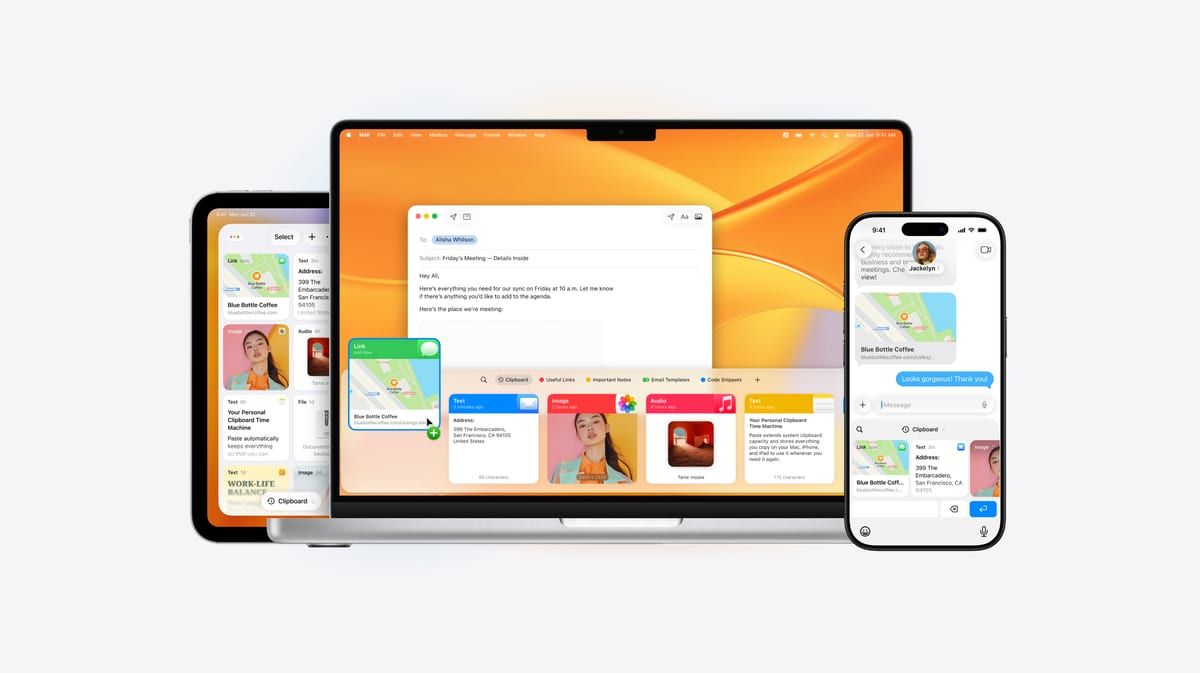
I have used Paste almost since the very first version, and to me it is still the best app in this category. Everything works reliably, it has never crashed on me, and for years it has done exactly what it should. You understand it right away. Paste is simply a beautifully rounded app.
And it does a lot. The history is unlimited and searchable, even for text inside images. Pinboards hold whatever you need again and again, such as text templates, links or addresses. Thanks to iCloud, everything is on your iPhone and iPad too. And rules let you decide which apps Paste never records in the first place.
The catch is the price. Paste is a subscription, and it has become much more expensive. On the App Store it costs $29.99 a year or $3.99 a month, and the lifetime licence is $99.99. I’m still on the old legacy plan at the earlier, much lower price. If you subscribe to Setapp, Paste for Mac is included at no extra cost. There is a one-week free trial, and you need macOS 14. My verdict: if the price doesn’t put you off, Paste is my absolute favourite.
2. PastePal
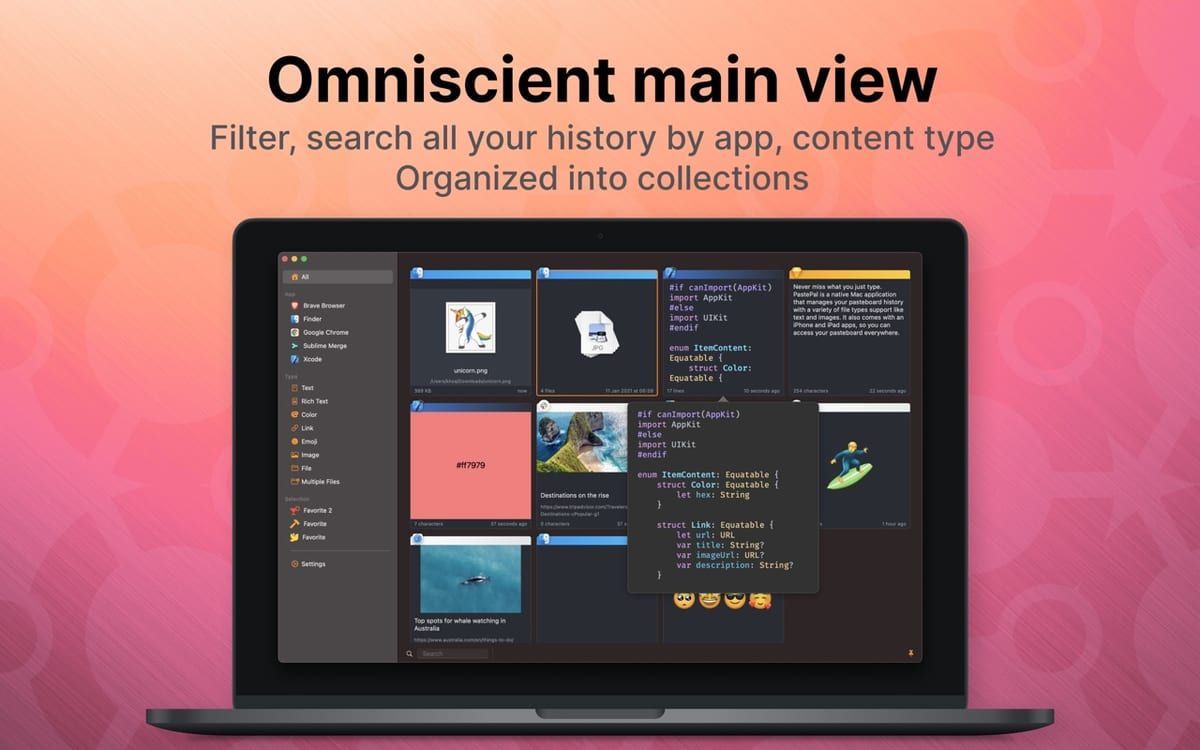
Because I wanted to get away from subscriptions, I took a close look at PastePal. At first glance it looks almost like Paste, and it is really good. The feature set is similar too: collections, search with filters, iCloud sync. You only pay once. Pro costs $14.99 on the App Store, and the purchase covers Mac, iPhone and iPad. The download is free, so you can try it first.
Why behind Paste? Coming from Paste, you have to find your way around a little. A lot looks the same but works just slightly differently. And in a few places you can tell that PastePal isn’t quite as polished. Still, if you want a one-off purchase, I recommend PastePal without hesitation. It is more than enough for 99.9% of users.
Two more tips. Besides the App Store version there is a separate licence that covers one Mac only and doesn’t include the iPhone and iPad apps. I would go for the App Store. And PastePal only ignores sensitive content once you set that up in its settings (release notes). The App Store version needs macOS 14.
3. Maccy
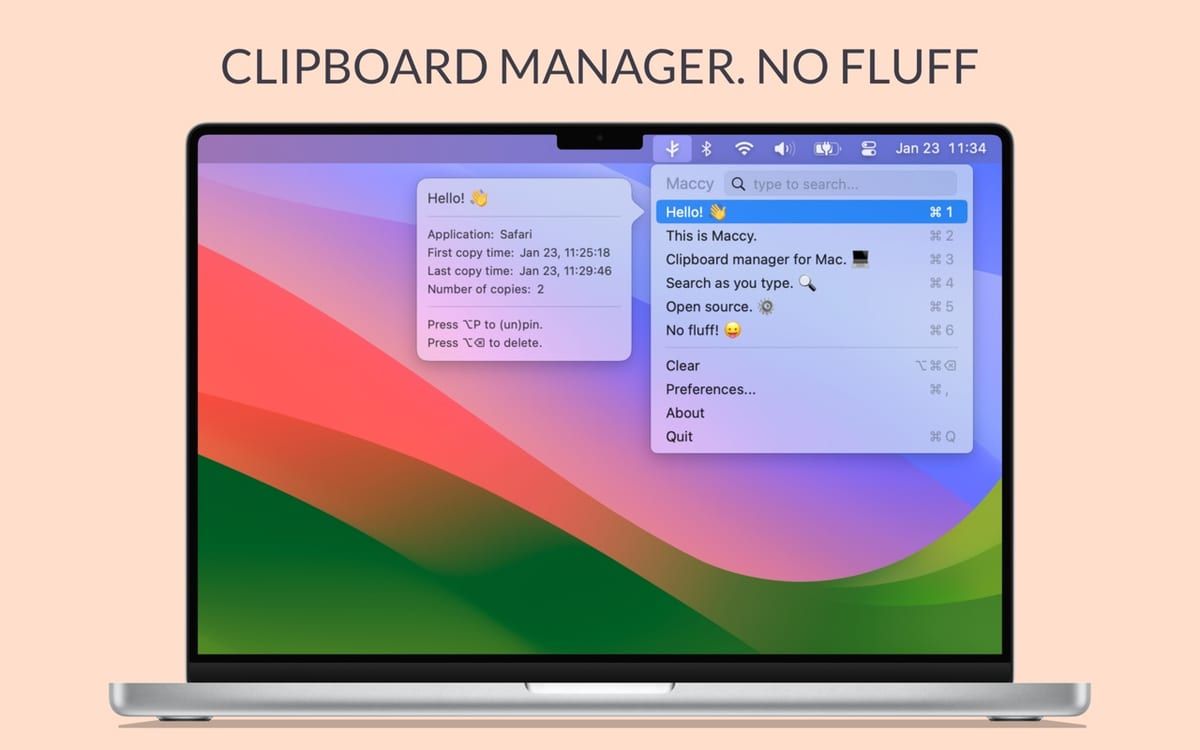
Maccy is the opposite of Paste, and that is exactly what makes it likeable. A small menu in the menu bar, a shortcut, start typing, done. No subscription, no cloud, no frills. Entries you use often can be pinned to the top. The history stays on your Mac, and the source code is open (MIT licence).
The open-source version is free. If you want to support development, you can buy Maccy for $9.99 on the Mac App Store. It needs macOS 14 Sonoma. Why only third place? Maccy deliberately does little, and there is no sync with iPhone and iPad. But if you work on one Mac and don’t want to spend anything, Maccy serves you very well.
4. Alfred with Powerpack
Alfred is the classic among Mac launchers. I have used it on and off for many years, since version 2 or 3, I believe. Alfred is a powerful tool that does far more than the clipboard. It can replace Spotlight, expands text snippets from a keyword and runs whole workflows automatically. For power users, Alfred is a top tip, and everyone should try it at least once.
Why only fourth place? In the end, Alfred was too much and too complex for me, because I didn’t use most of its features. And the clipboard is just one feature among many here. It works, but it isn’t integrated as well as in Paste and PastePal, and it is a bit more cumbersome. It simply isn’t the main feature. If all you want is a history, Paste or PastePal will serve you better. But if you want to replace Spotlight and automate your work, you should definitely look at Alfred.
The history is part of the paid Powerpack and has to be switched on first. The Powerpack costs £34 one-off, or £59 with lifetime upgrades. Alfred only sells in British pounds. Buy now and you get the upcoming Alfred 6 as well. Alfred 5 runs on macOS 10.14 or later.
5. Raycast
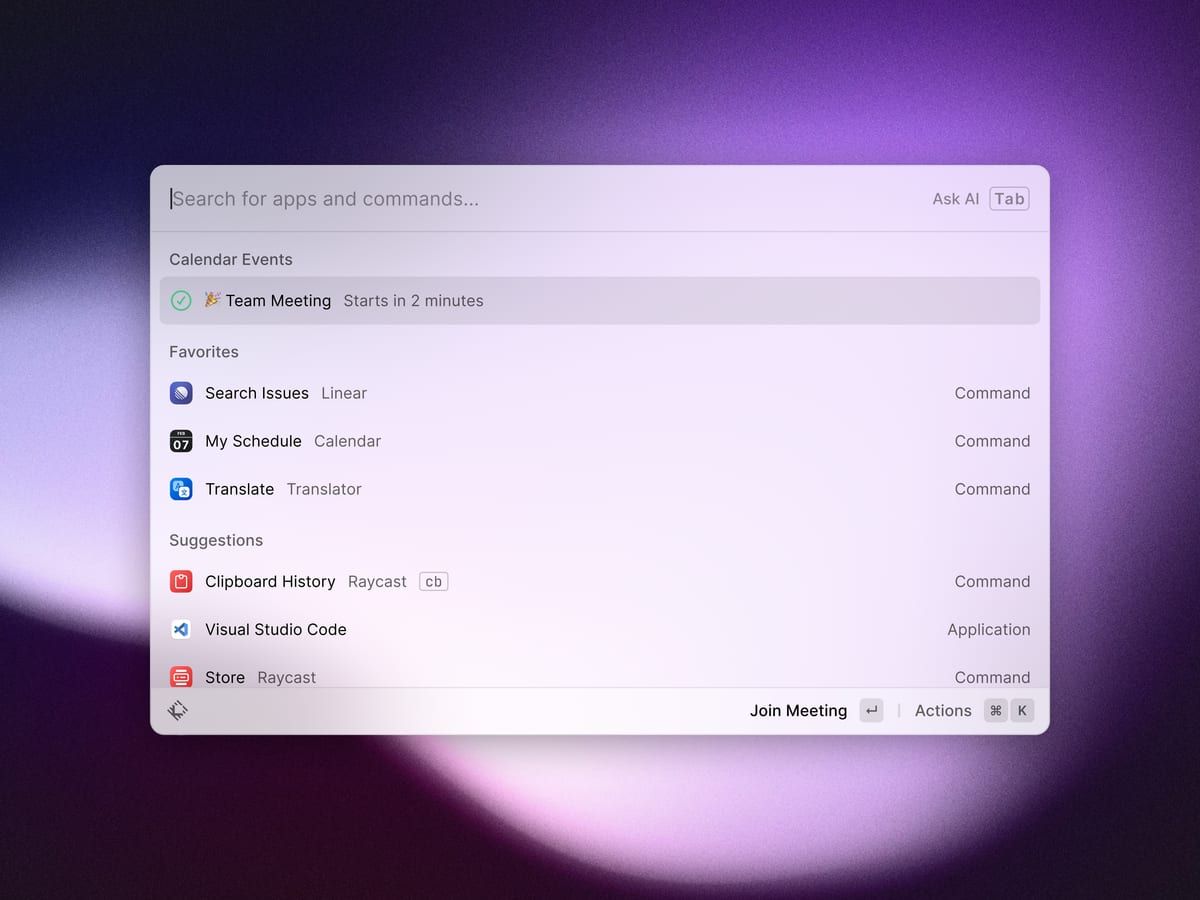
I used Raycast for a while, too. Like Alfred, Raycast is a launcher, a kind of Spotlight with lots of extras, and it is hugely capable. But it feels more modern than Alfred. I like many of its features, and for power users Raycast is a good tool. Its clipboard history is built in and free: text, images, files and links, searchable and filterable by type. Raycast can also paste content without formatting.
When it comes to the clipboard, though, the same applies as with Alfred: everything works, but it is more cumbersome than in Paste and PastePal. Why only fifth place? At some point I stopped using Raycast, because I only needed very few of its features. Many of them are now part of the new Spotlight search, or I could get them in Alfred. For the one feature I really used, Raycast was simply too expensive for me. If I really needed the full range, I would rather go for Alfred.
For free, the history goes back three months. For more you need Pro at $10 a month, or $96 a year. And the current version only runs on Macs with Apple silicon and macOS 26 Tahoe.
6. Spotlight clipboard
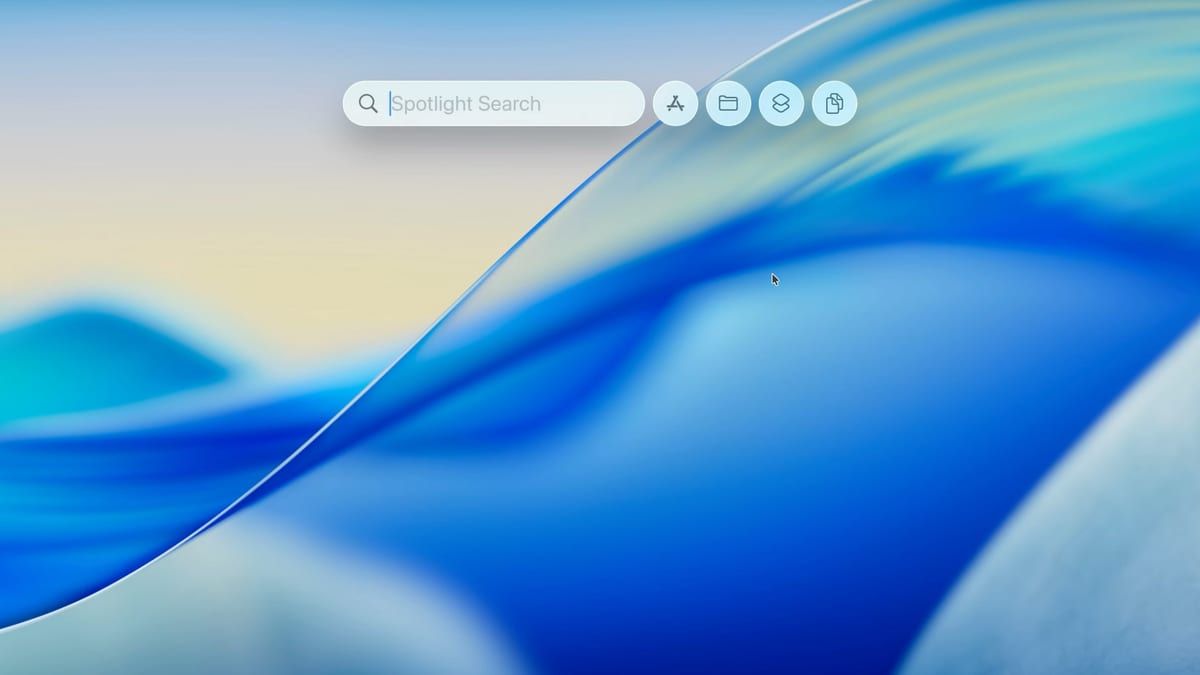
Since macOS 26 Tahoe, the Mac has its own history in Spotlight. Open Spotlight, press Command-4, and you see what you copied recently: text, images, links and files. It costs nothing and needs no installation. It is nice that everyone who doesn’t want to install apps now has a history too.
Still, it doesn’t win me over. Its features are far too limited for me. Above all, the history never worked really reliably for me. Sometimes entries were missing, and that is particularly annoying. If something isn’t reliable, you stop using it. With the next version of macOS I may give it another chance.
As things stand, I only recommend Spotlight if you don’t want to spend money and only need the history now and then. If you want to use it seriously, one of the apps above is the better choice. And as with any history: Apple itself points out that sensitive data can end up there too.
Frequently asked questions
Do I still need a clipboard manager?
If you only occasionally want something back that you copied, Spotlight is enough since macOS 26 Tahoe. For me, though, its history was too unreliable. As soon as you want collections, snippets or sync with iPhone and iPad, a dedicated app is worth it.
Do passwords end up in the history?
They can. The apps protect you in different ways: Alfred ignores known password apps and content marked as confidential. In Paste you set rules for sensitive apps, in PastePal you use the ignore settings. My advice: always exclude your password manager yourself.
Which clipboard manager is free?
Maccy as the open-source version, the history in Raycast with up to three months, and Spotlight from macOS 26 Tahoe. PastePal is a free download, and Pro costs a one-off $14.99.
Subscription or one-off purchase?
If you don’t want a subscription, get PastePal Pro for a one-off $14.99. That is my recommendation. The Alfred Powerpack is a one-off £34, Paste’s lifetime licence $99.99. Maccy is free, or $9.99 on the App Store as support.
Is Paste available on Setapp?
Yes. Paste for Mac is included in a Setapp subscription at no extra cost. For iPhone and iPad you need a Setapp plan that includes iOS devices.


